Turn a packed house into
your smoothest night
When every table is full, the waitlist keeps the door moving. Add a walk-in, quote a wait, and text guests the second a table opens. And while they wait, they can order ahead from their phone — so the kitchen is already firing their food as they sit down.
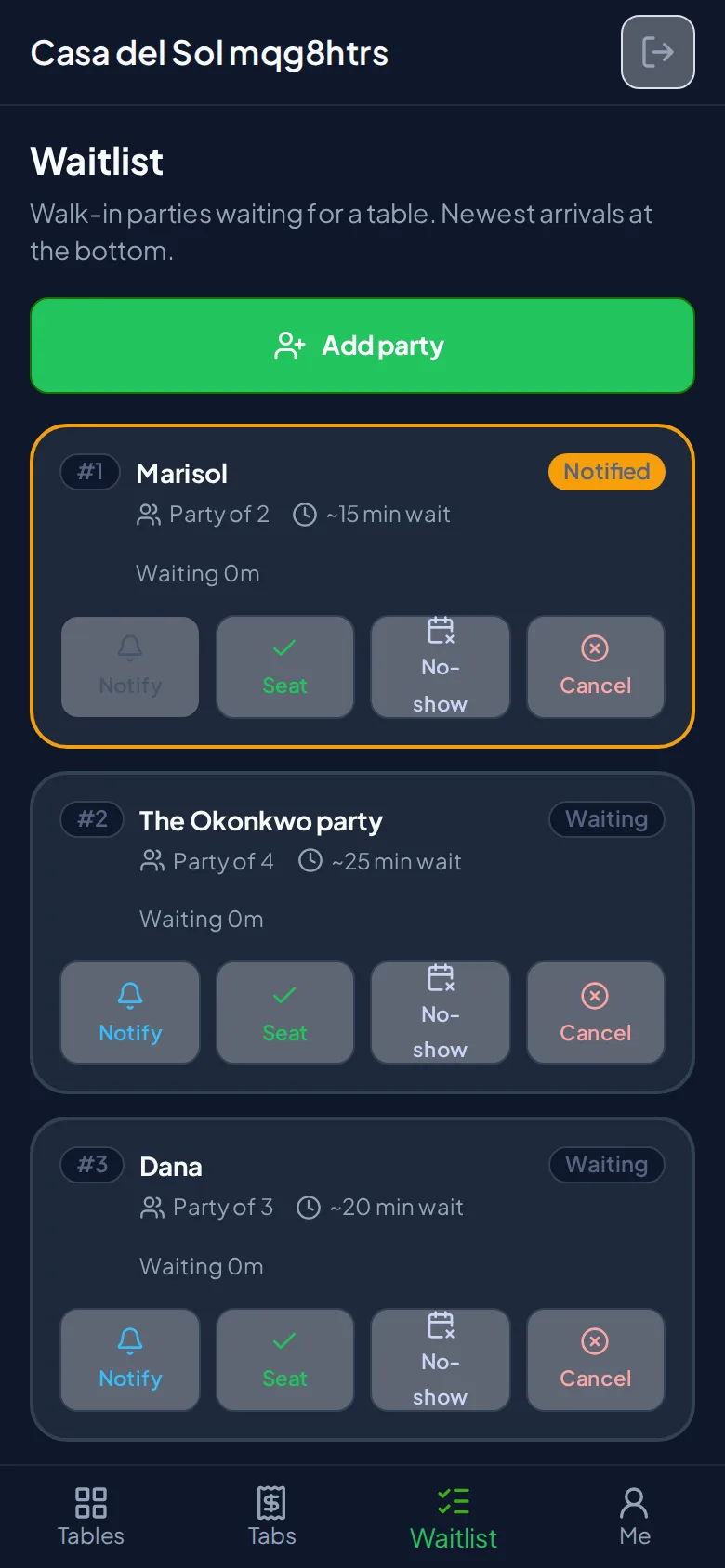
The front door, handled
A walk-in queue your hosts run from the same phone they already carry — and the only one that lets guests order before they're even seated.
Ditch the paper list
Add walk-ins to a digital queue, quote a wait, and see the whole line at a glance. When a table opens, one tap texts the guest that it's ready — no shouting names across the room.
They order while they wait
Waiting guests browse your menu and place an order that's held until you seat them. The moment they sit, it fires to the kitchen — no re-ordering, no idle table, faster turns.
Guests sign themselves in
Let diners join from a QR code or a front-door kiosk, so your host isn't the only one taking names. A live board shows who's waiting, right in the lobby.
Run the line from your phone
The waitlist lives in the same staff app your servers already use. Add a party, set a wait, and watch the queue move. When you seat them, their tab opens automatically with the guest count set — so service starts the instant they sit.
- Add walk-ins with a name, size, and wait quote
- Text "your table is ready" in one tap
- Seat at a specific table or the first that frees up
- The table's tab opens automatically on seating
The food's already cooking when they sit
This is the part no paper list can do. While they wait, guests build an order that stays held — invisible to your kitchen — until you seat them. Then it fires instantly, so a waiting party becomes a served one in record time.
- Guests order from their own phone while they wait
- The order is held until you seat the party
- It fires to the kitchen the moment they're seated
- Sold-out items drop off automatically — never sent
Let the door take care of itself
Stand a tablet at the entrance and guests add themselves — party size, name, number — and we text them a link to follow their place in line on their own phone. A Yelp-style board shows who's waiting, first name only.
- A front-door kiosk on any tablet
- Or guests join by scanning your QR code
- A live "who's waiting" board for the lobby
- Only a first name and last initial are ever shown
Questions about the waitlist
Do I need to buy any hardware? +
How do guests know their table is ready? +
Which plan do I need? +
What happens if a guest never shows up? +
Keep your busiest nights moving
Start free and turn on the waitlist whenever you're ready. No hardware, no app for your guests, and they can order ahead while they wait.