Receipts and Mexican
tax invoices, sorted
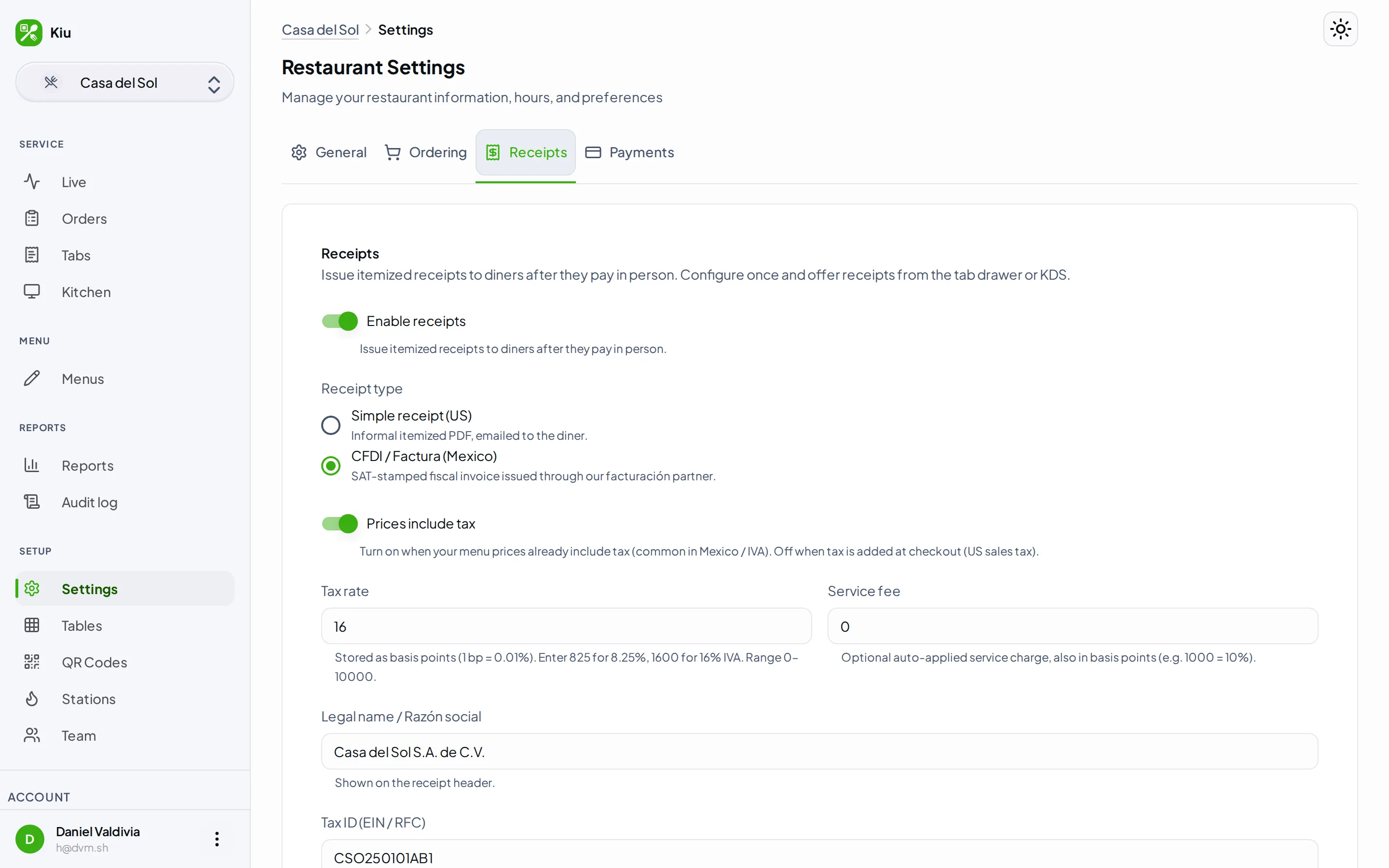
When a tab is paid, your customer gets a receipt by email. And in Mexico, they can request a CFDI invoice right from their phone — they type in their RFC, and it's stamped through the SAT with a PDF and XML they can download. You set it up once.
The receipt your customer actually wants
A clean email receipt for everyone, and a real CFDI invoice for the customers who need one to expense their meal — without you touching a thing at the counter.
Receipt by email when paid
Close the tab and the receipt goes out by email. Itemized, with your restaurant's name on it. No printer to keep loaded, no paper to hand across the counter.
CFDI invoices, the Mexican way
Your customer requests a factura from their phone and enters their RFC and tax details. The invoice is stamped through the SAT — you never type their data or chase them for it later.
PDF and XML to download
Every stamped CFDI comes with both the PDF and the XML the SAT requires. Your customer downloads them from a link; their accountant gets exactly what they need.
A receipt goes out the moment a tab is paid
When you settle a tab — cash, card, or a payment link — your customer can get an itemized receipt by email. There's also a hosted receipt page they can open right away, even before the PDF finishes rendering. Hand the phone to the diner at the counter and let them type in their own email.
- Itemized email receipt when a tab is paid
- Hosted receipt page to open right away
- Diner types in their own email
- Your restaurant's name on every receipt
Customers request their CFDI from their phone
In Mexico, a meal isn't done until the factura is. Your customer opens a request page, enters their RFC, razón social, uso de CFDI, régimen fiscal, and código postal, and the invoice is stamped through the SAT. One CFDI per tab keeps it clean. They never have to email you a photo of a ticket the next morning.
- Customer enters their RFC from their phone
- RFC, razón social, uso, régimen, código postal
- Stamped through the SAT
- One CFDI per tab, no duplicates
Issue, cancel, and account for every invoice
Set up your facturación once — your tax details and serie — and you're ready. From the staff app, issue a receipt for a closed tab or cancel a CFDI with the right SAT motivo when something needs fixing. Every receipt, cancellation, and re-issue is kept in order so you always have the full history for a tab.
- Configure your facturación once
- Issue a receipt from the staff app
- Cancel a CFDI with a SAT motivo
- Full audit trail for every tab
Common questions
Do I need this if I'm in the US? +
What is a CFDI, and how does the customer get one? +
How fast is the CFDI ready? +
What if an invoice is wrong, or I need to cancel one? +
Give your customers the receipt they need
Email receipts on every paid tab, plus CFDI invoicing built for Mexico. Set it up once and let your customers do the rest from their phone.