Your kitchen and your tickets,
in sync in real time
The second an order is placed, it lands on the line. Tickets move from new to cooking to ready, route to the right station on their own, and an expediter sees the whole board at once. Turn any screen you already own into a kitchen display — no special hardware to buy.
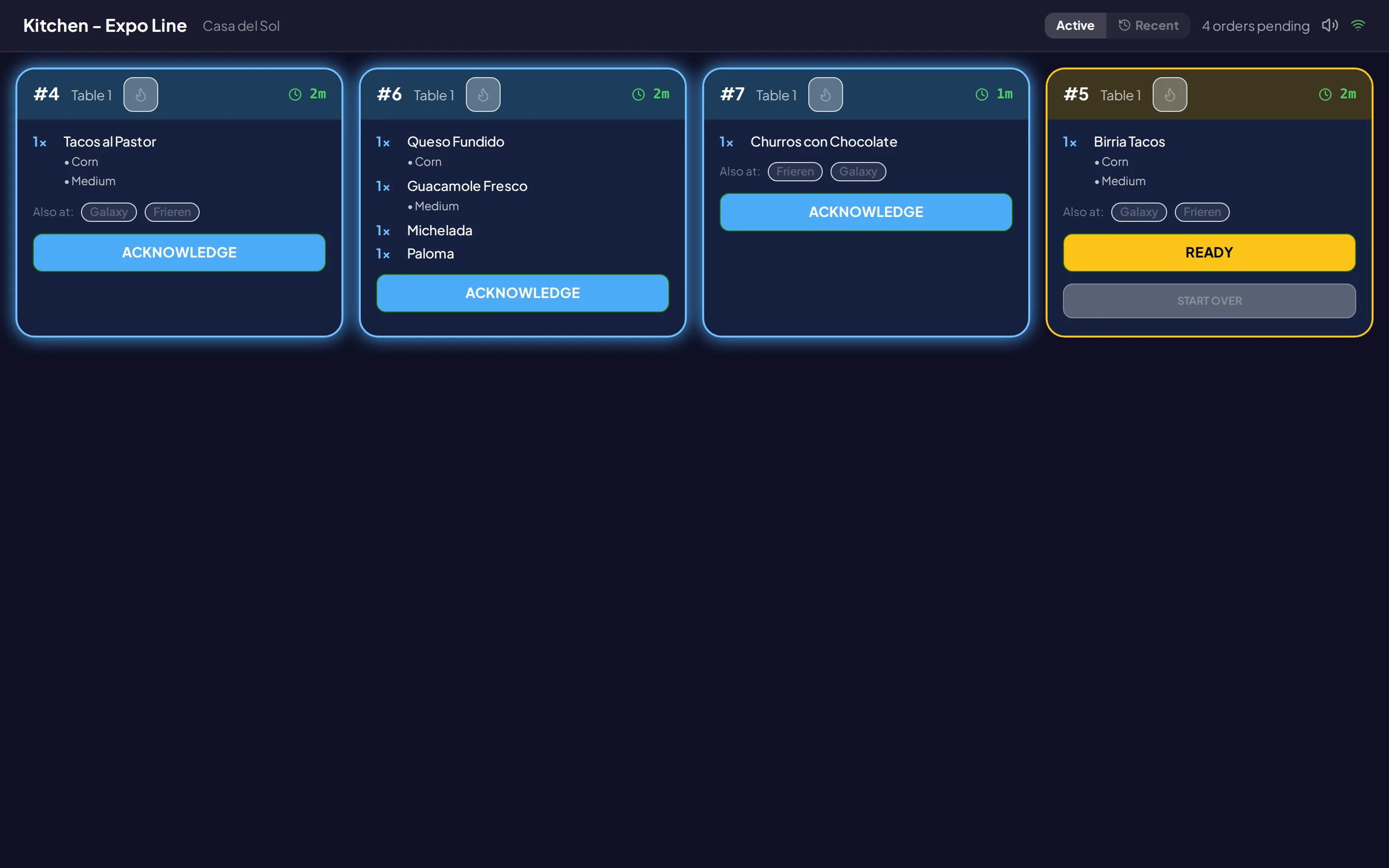
A calmer line, in real time
No printer jams, no shouting tickets across the pass, no $2,000 screen to buy. Just orders, where your cooks can see them, the moment they come in.
Any screen becomes a display
Open the kitchen page on a tablet, an old phone, or the computer in the back, enter a 6-digit code from your dashboard, and that screen is now a kitchen display. Set up as many as you want.
Everything lands in the right place
Each order routes itself to the station or menu section that should cook it. The grill sees grill items, the bar sees drinks, and your expediter sees it all in one place.
Rush it or pull it back
When a table is waiting, mark the order rush and it jumps to the front. Bumped a ticket too early? Recall it back to the line in one tap, with a record of the change.
Orders fire to the line the moment they're placed
Whether a diner orders from their phone or a server rings it in, the ticket appears on the kitchen display right away — no printer, no delay. Each ticket flows from new to cooking to ready as your cooks tap through it, and a new-order chime keeps anything from slipping by.
- New tickets appear instantly, with a chime
- Tap through: new, cooking, ready
- Order numbers, table labels, and notes shown
- Tickets age-color from green to red
Every ticket finds the right station
Tell each display which menu sections or kitchen stations it handles, and orders sort themselves the moment they come in. An item that two stations touch shows up on both, and each ticket notes which other stations are working the same order so the line stays in step.
- Route by menu section or kitchen station
- One item can show on two stations
- See which other stations share the order
- Create and rename stations anytime
An expediter who sees everything
Set one screen as the expediter and it shows every ticket across every station, so someone is always watching the whole board and calling the pass. When a table is waiting, rush the order to the front; if a ticket got bumped too soon, recall it back to the line in a tap.
- Expediter view shows every station
- Mark an order rush to jump the queue
- Recall a bumped ticket back to the line
- Order auto-marks ready when all tickets are
Common questions
What hardware do I need to run a kitchen display? +
How do orders get to the kitchen? +
Can I send different items to different stations? +
Can I fix a ticket the kitchen marked too early, or rush a slow one? +
Give your kitchen a screen it deserves
Start free, then turn on the kitchen display when you're ready to take orders. Any screen you already own will do.