Know exactly
what's selling
Every order you take through Kiu-R rolls up into plain, honest numbers: what you sold, what you kept after refunds, which dishes move, when you're busy, and how people pay. No spreadsheets, no end-of-night math.
Numbers you'll actually use
Not a wall of charts. Just the answers a restaurant owner asks at the end of the day - and the records your bookkeeper asks for at the end of the month.
One honest revenue number
Gross, net after refunds, tips, and tax - in one place. Counter service, table tabs, and online orders all add up into the same totals, so you never reconcile three screens.
See it in real time
Reports read straight from your live orders. Pick today, yesterday, last week, or a custom range and the numbers are already there - no overnight batch, no waiting.
Ready for the books
A clean record of refunds and tax collected, with dates and amounts you can hand to your accountant. Cash sales carry no Kiu-R fee and show up right beside card and online.
Your whole day, on one screen
The headline report. Pick a date range and see gross, net, tips, refunds, and tax collected - leading with net, because what you keep matters more than what rang up. Multiple currencies stay split out on their own, never converted with a made-up rate.
- Gross, net, tips, refunds, and tax
- Net leads - revenue after refunds
- Presets: today, last 7 days, custom
- Each currency totaled on its own
What people order, and how they pay
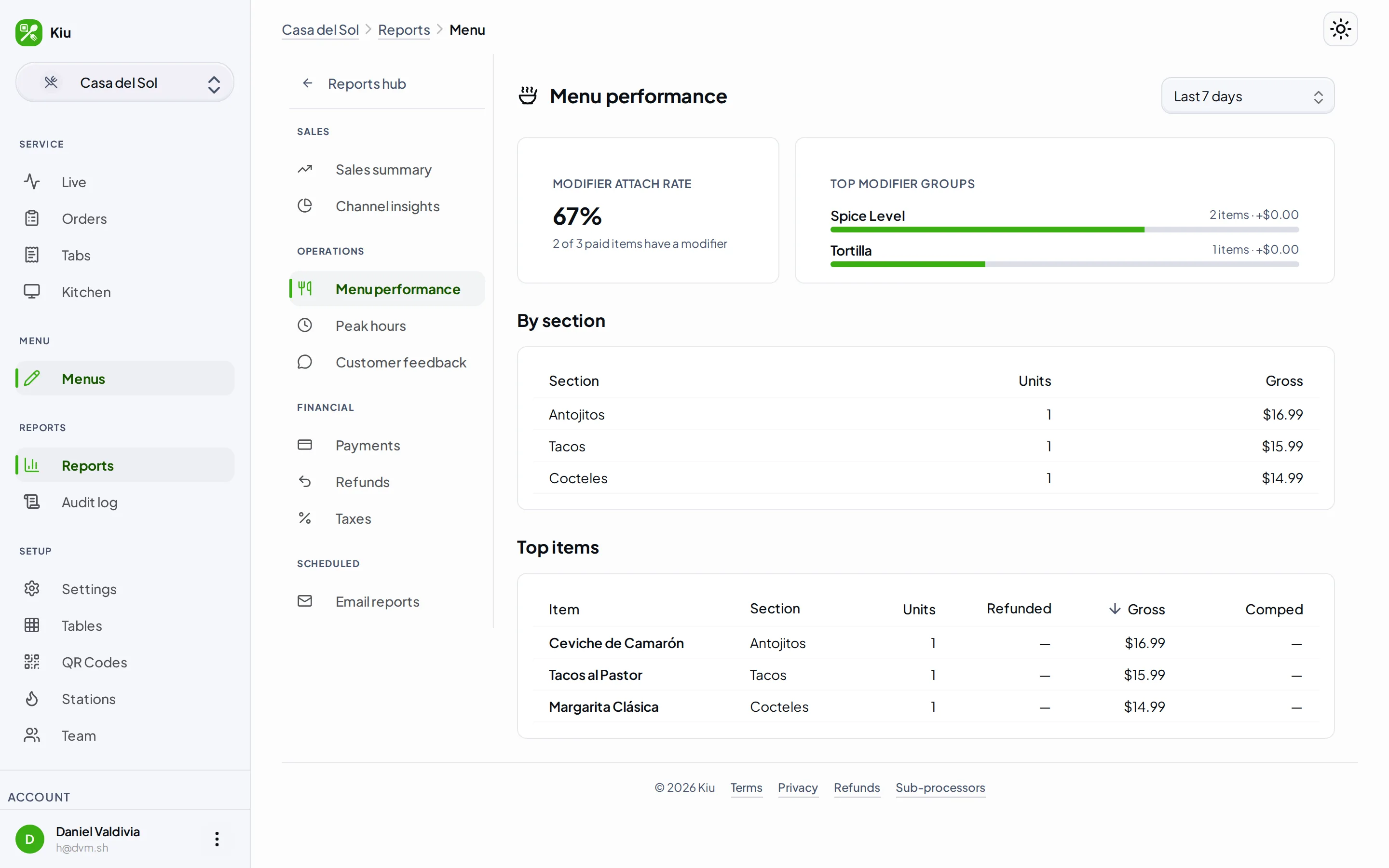
See your top-selling dishes by revenue and units, with comped and refunded items called out instead of hidden. Watch which add-ons attach most often, and split revenue across counter service, table tabs, and online so you know where the money comes from.
- Top dishes by revenue and units sold
- Modifier attach rates and add-on revenue
- Comps and refunds shown, not buried
- Cash vs card vs online, side by side
When you're busy, and a trail for the books
A peak-hours heatmap maps sales across every hour and day of the week, so you can staff and prep around your real rushes. For the back office, refunds and tax collected come with dates and amounts - a clean audit trail you can reconcile against.
- Peak-hours heatmap by hour and day
- Spot your real rushes and slow days
- Refund trail with dates and amounts
- Tax collected, ready to reconcile
Common questions
What reports do I get? +
Is the data live, or from yesterday? +
Do reports show me the Stripe processing fee or tax by rate? +
Who can see the reports? +
See what your restaurant is really doing
Start free today. When you turn on ordering with Pro, your reports fill in on their own - no setup, no spreadsheets.